The Return to Freddy's 3
The Return to Freddy's 3
Animal Hospital: Anomalies and Monsters

Eaglercraft
Five Nights at Freddy’s Pizzeria Simulator

Eraly

The Man from the Window 2
Shrek: My Neighbor
Deltarune

How To Fish
Last Route

Five Nights at Candy's 3

Slendrina Must Die: The Celar
Fears to Fathom

LoveMoney

Tower Smash: Can Blaster

DONT SPLASH
Five Nights at Candy's 2
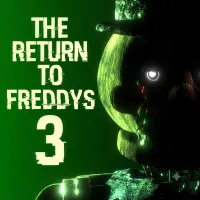
The Return to Freddy's 3 is a point-and-click survival horror fan game developed by Tyler Ahlström. Set inside a new entertainment venue filled with restored animatronics, it challenges players to monitor security cameras, manage defensive systems, and survive increasingly dangerous encounters.
GAMEPLAY OVERVIEW - SURVIVE THE NIGHT AT FAZBEAR FANTASY LAND
In The Return to Freddy’s 3, you play as Blake Trent, a guard responsible for watching over Fazbear Fantasy Land before its official opening. Your main task is to track animatronic movements through surveillance cameras and prevent them from reaching your office. Unlike a simple camera-monitoring game, this experience also requires you to operate door locks and troubleshoot technical failures. Keeping every system under control becomes increasingly difficult as more characters become active during later nights.
Track Animatronics Through the Camera Network
The surveillance monitor allows you to inspect different rooms and follow the movements of approaching threats. You can also double-click specific camera views to activate their corresponding door locks. This gives you a way to block certain animatronics from entering, but you must monitor their positions carefully instead of relying on a single camera.
Operate the Signal Panel Before Systems Fail
Security equipment can malfunction during your shift, forcing you to react quickly. The Signal Panel provides several functions, including options to reboot the Door Lock System and Light System. You can also use View Animatronic to observe Lockjaw's perspective and Corrupt Signal to deal with certain threats approaching through the left hallway. Be careful with locked doors, because keeping them closed for too long can cause the locking system to break.
Face Lockjaw and Other Mechanical Threats
Lockjaw is one of the central threats in the game, becoming active from Night 2. Other animatronics appear as the nights progress, including Vigo and several familiar characters. Each threat requires attention to its location and the appropriate defensive response. Learning how different enemies behave is essential to surviving longer shifts.
Control System
- Mouse: Interact with the monitor, cameras, doors, and Signal Panel.
- Double-Click a Camera: Activate the corresponding door lock.
- View Animatronic: Monitor Lockjaw's perspective through the Signal Panel.
- Corrupt Signal: Disrupt certain animatronics approaching through the left hallway.
- Reboot Systems: Restore malfunctioning security functions using the Signal Panel.