Five Nights at Freddy’s Pizzeria Simulator
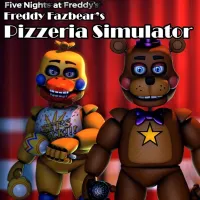
Five Nights at Freddy’s Pizzeria Simulator
Animal Hospital: Anomalies and Monsters

Eaglercraft

Eraly
The Man from the Window 2
Shrek: My Neighbor
Deltarune

How To Fish
Last Route
The Return to Freddy's 3
Five Nights at Candy's 3
Slendrina Must Die: The Celar
Fears to Fathom

LoveMoney
Tower Smash: Can Blaster

DONT SPLASH
Five Nights at Candy's 2
Five Nights at Freddy’s Pizzeria Simulator combines restaurant management with the familiar horror atmosphere of the Five Nights at Freddy's series. During the day, you build and improve your pizzeria by purchasing attractions, arranging equipment, and managing business risks. Once night falls, your responsibilities shift to the office, where dangerous animatronics may approach while you complete essential tasks.
GAMEPLAY OF FIVE NIGHTS AT FREDDY’S PIZZERIA SIMULATOR
Your main objective in Five Nights at Freddy’s Pizzeria Simulator is to keep the pizzeria running while dealing with increasingly dangerous situations. The experience alternates between business decisions and tense nighttime work, so you must think carefully about how you spend money and handle potential threats.
During the daytime, explore four item catalogs containing nearly 60 options, including animatronic stages, arcade machines, decorations, lighting, and safety equipment. Use Blueprint mode to arrange your purchases, expand the floor plan, and improve important business ratings such as Atmosphere, Health & Safety, Entertainment, and Bonus Revenue. However, some items carry liability risks that could cause financial trouble.
At night, move to the office and complete computer tasks such as ordering supplies, advertising, and maintenance. These activities create noise that can attract animatronics through the ventilation system. Use available tools to monitor movement, play audio distractions, manage ventilation, and control the office temperature. Finish your assigned work and log off to end the shift.
Explore Arcade Attractions
The pizzeria features several arcade activities that offer a break from management and may reveal hidden story segments. You can access games such as Midnight Motorist, Fruity Maze, and Security Puppet, alongside carnival attractions like Duck Pond, Rocket Riders, and Carnival Hoops.
Investigate and Salvage Animatronics
In the salvage room, examine discarded animatronics and decide whether to bring them into your business for extra money or reject them. Your choices can influence the risks you face and contribute to different endings.
Multiple Endings and Business Decisions
Your management strategy and salvage outcomes affect how the story concludes. Possible endings include Completion, Insanity Ending, Bankruptcy, Blacklist, and Mediocre. Careful spending and risk management are important if you want to avoid financial failure.
Controls
- Mouse: Navigate menus and use Blueprint mode.
- Enter / Space: Start from the title screen.
- WASD / Arrow Keys: Move in supported 8-bit and arcade games.
- Shift / Space: Throw pizza.
- Space: Play most carnival attractions or control salvage audio.
- Z / Mouse Click: Use the office computer.
- X / Mouse Click: Operate the office fan.
- Ctrl: Use the taser during salvage.
- Esc: Open the exit option.
FAQ
How Does a Night End?
There is no fixed nighttime countdown. You finish the required computer tasks and select Log Off to end your shift.
Does the Game Have Different Endings?
Yes. Your business decisions and salvage choices influence the outcome. Available endings include Completion, Insanity, Bankruptcy, Blacklist, and Mediocre.
Can You Play Without Downloading?
Yes. You can play Five Nights at Freddy’s Pizzeria Simulator and other FNAF fan games directly on fnaf4game.io, so you do not need to download or install the game.